
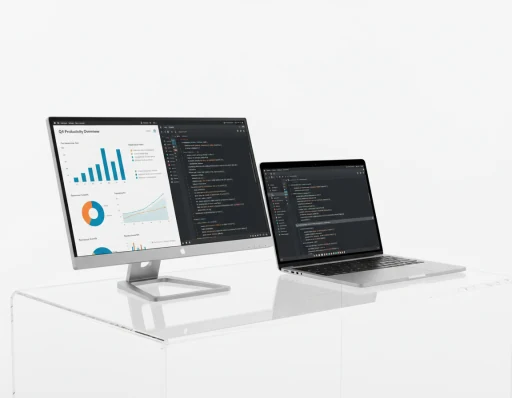
Local demo product
Viewix
Computer Monitor: A Practical Guide to Choosing the Right Display
Available delivery options and shipping charges are shown at checkout for your address.
Review any applicable taxes in the checkout summary before placing your order.
Contact Viewix support for the return and warranty terms applicable to this product.
Delivery and payment options are displayed at checkout. Availability depends on your order and destination.
Tech Spec
View the product parameters below.
These details have not been added to this product yet.
These details have not been added to this product yet.
These details have not been added to this product yet.
A computer monitor is more than a screen that shows what your computer is doing. The right display can make text easier to read, provide more room for applications, improve the way photos and videos appear, support smoother motion, and make a workstation more comfortable to use. The wrong monitor, on the other hand, can leave you working with limited screen space, unsuitable connectivity, or display characteristics that do not match the work you actually perform.
Choosing a monitor therefore starts with the intended use rather than with a single specification. A designer may care about color consistency and resolution. An office user may prioritize readable text, screen space and ergonomic adjustment. A gamer may pay more attention to refresh rate and response behavior. A business deploying monitors across multiple workstations may focus on connectivity, mounting compatibility and ease of standardization.
Understanding these differences makes it easier to compare models without assuming that a higher number always means a better monitor. Screen size, resolution, panel technology, refresh rate, ports and physical design all matter, but they need to be considered together.
What Is a Computer Monitor?
A computer monitor is an electronic display designed to present visual output from a computer or another compatible source device. It may be connected to a desktop PC, laptop, workstation, media player or other system through interfaces such as HDMI, DisplayPort, USB-C or another supported connection.
Unlike a television, a monitor is generally designed around close-range use and computer-based tasks. The exact feature set varies considerably between models. Some monitors are optimized for office work, some for gaming, some for content creation, and others for commercial or professional installations.
The monitor receives a video signal from the source and displays text, graphics, applications, images or video according to its native resolution and supported operating modes. Additional functions may include built-in speakers, USB hubs, adjustable stands, picture-in-picture modes, integrated webcams or power delivery over USB-C, but these capabilities should always be confirmed for the individual model.
When selecting a monitor, it is useful to think of it as part of a complete workstation rather than an isolated display. The computer, graphics output, desk space, viewing position, software and accessories all influence whether a particular monitor is a practical choice.
Choosing the Right Monitor Size
Screen size is one of the first specifications most buyers notice. Monitor size is normally expressed as the diagonal measurement of the display area in inches. However, a larger diagonal does not automatically mean that a monitor is better for every task.
A smaller monitor may fit more easily on a compact desk and can be practical for basic office applications. A larger monitor can provide more physical display area, which may make it easier to arrange multiple windows or work with larger timelines, documents and dashboards. The ideal size depends on the available desk space, viewing position, resolution and type of work.
A common mistake is to evaluate size without considering pixel density. A large screen with a relatively low resolution may display interface elements and text differently from a smaller screen using the same number of pixels. This is why size and resolution should be evaluated together.
Physical dimensions also matter. Two monitors with the same nominal screen size can have different stand dimensions, bezel widths and overall footprints. When planning a desk layout, check the full width, height and depth of the monitor rather than relying only on the diagonal measurement.
For a multi-monitor setup, bezel size and stand design can become even more important. A monitor that fits comfortably as a single display may require substantially more desk width when two or three units are installed
Expert Reviews
See what the community is saying about Viewix portable displays.
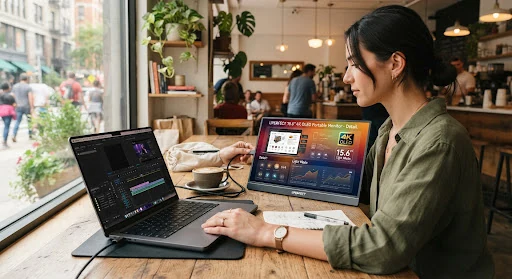
5 Ways to Boost Your Productivity
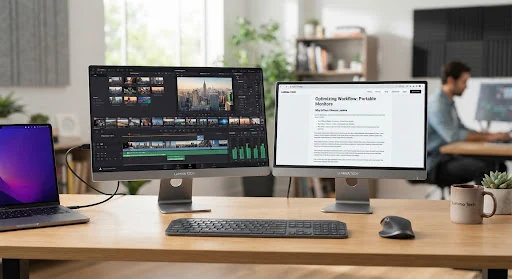
Dual-Screen Mobile Workflows for Creators
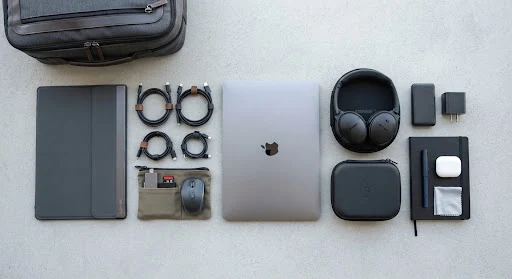
Color Calibration & Video Editing on the Go
Delivery options
Check available shipping methods and charges for your delivery address at checkout.
Returns support
Contact support to confirm the return options for your product before ordering.
Product warranty
Ask Viewix support about the warranty terms applicable to your selected model.
Payment options
Choose from the payment methods available for your order at checkout.